
You can now re-solve any turn or river situation with your preferred custom bet sizes in just a few seconds.
This new feature inside the Lucid Poker app is perfect for building new strategies and countering unique bet sizes used by your opponents.
Powering this feature is Lucid Poker's new built-in custom solver — the first of many applications that will eventually include nodelocking, flop resolving, and more.
Free members may run 1 custom re-solve on the turn/river per day. Lucid Poker Pro members may run effectively unlimited re-solves (rate limiting may apply).
If you're not a Lucid Pro member, start your free trial to check it out.
How It Works: Custom Re-Solve Demo
When you re-solve a turn or river, you're building a subtree — a custom branch of the game tree layered on top of Lucid Poker's existing solve packs.
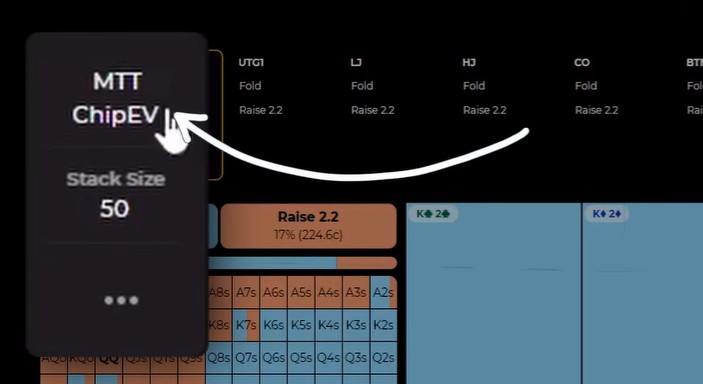
First, choose your game type and stack depth in Lucid Poker's Sim Browser tool. I'm going to go with MTT and 50bb for this example.
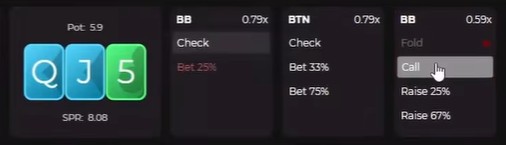
Next, navigate to a specific turn (or river) situation in the game tree. I'm going to setup a simple Button vs Big Blind single raised pot where the Big Blind check-calls a small c-bet on a Qd Jd 5c flop.
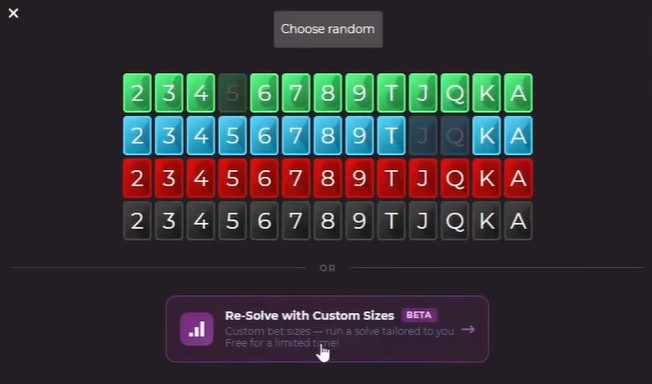
Once you complete the flop action, you'll get a popup to select your turn card. Click the purple "Re-Solve with Custom Sizes" option to start building your subtree.
Now, it's time to input your custom bet and raise sizes for both positions. You can run a re-solve with up to three sizes for each player in each spot.
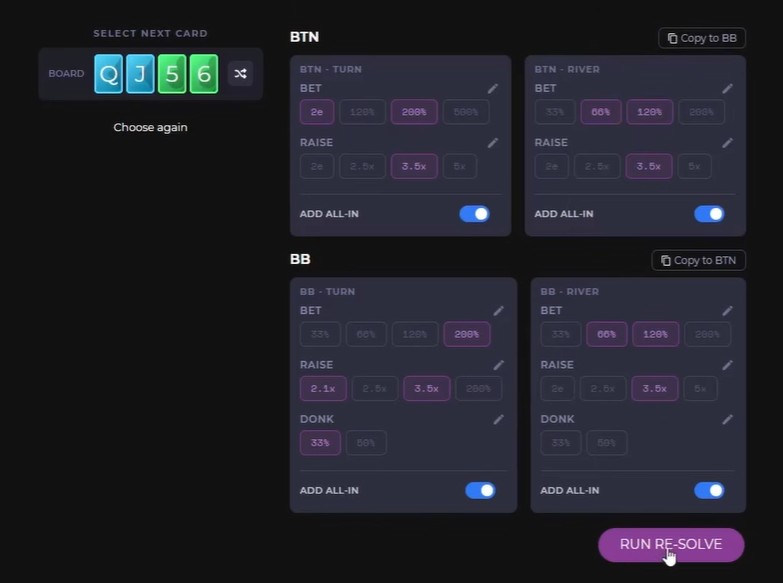
For both bet and raise sizes, you can input either a percentage of pot (e.g. 75%) or tell the solver to calculate a geometric sizing strategy (e.g. 2e). When inputting raise sizes, you can also specify a multiple of the prior bet (e.g. 3x).
Note: If two of your inputted sizes are very similar, Lucid will automatically merge them into one size when re-solving.
Once you're happy with your sizing inputs, select your turn/river card and click "RUN RE-SOLVE". After a few seconds, you'll have your custom strategy ready to study with the Lucid Poker Sim Browser.
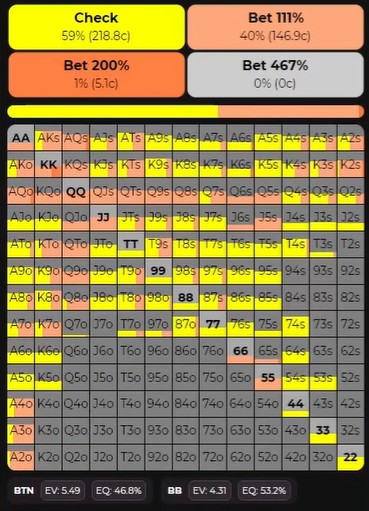
Run Your First Re-Solve for Free
Free members get 1 re-solve per day. Open the Lucid Poker app and follow the steps above to check it out.
For effectively unlimited re-solving, start your free trial of Lucid Poker Pro. You'll be prompted to do so when you try to run your 2nd re-solve.