
2. Cardle
Cardle quizzes are themed five-hand sets with solver-verified decisions and written coaching explanations. Play today's free quiz from the home screen, or access 700+ archived quizzes with a Pro membership.
How It Works
Each Cardle is a themed set of five poker hands, handpicked by a pro and run through a solver. Every situation shares a common spot type, so the feedback across all five hands reinforces the same concept.
After each decision, Lucid reveals whether you were right, explains the solver reasoning in plain language, and gives you the option to go deeper with a more detailed coaching explanation. At the end of the five hands, you see your overall score and can review every decision from the summary screen.
New to the app? The Lucid Poker app overview shows where Cardle sits alongside the other core features.
Free members get one Cardle per day. If you want access to 700+ archived Cardle quizzes covering a wide range of spots, you can unlock them with a Pro membership.
Step by Step
Here is how to play through a Cardle quiz from start to finish:
-
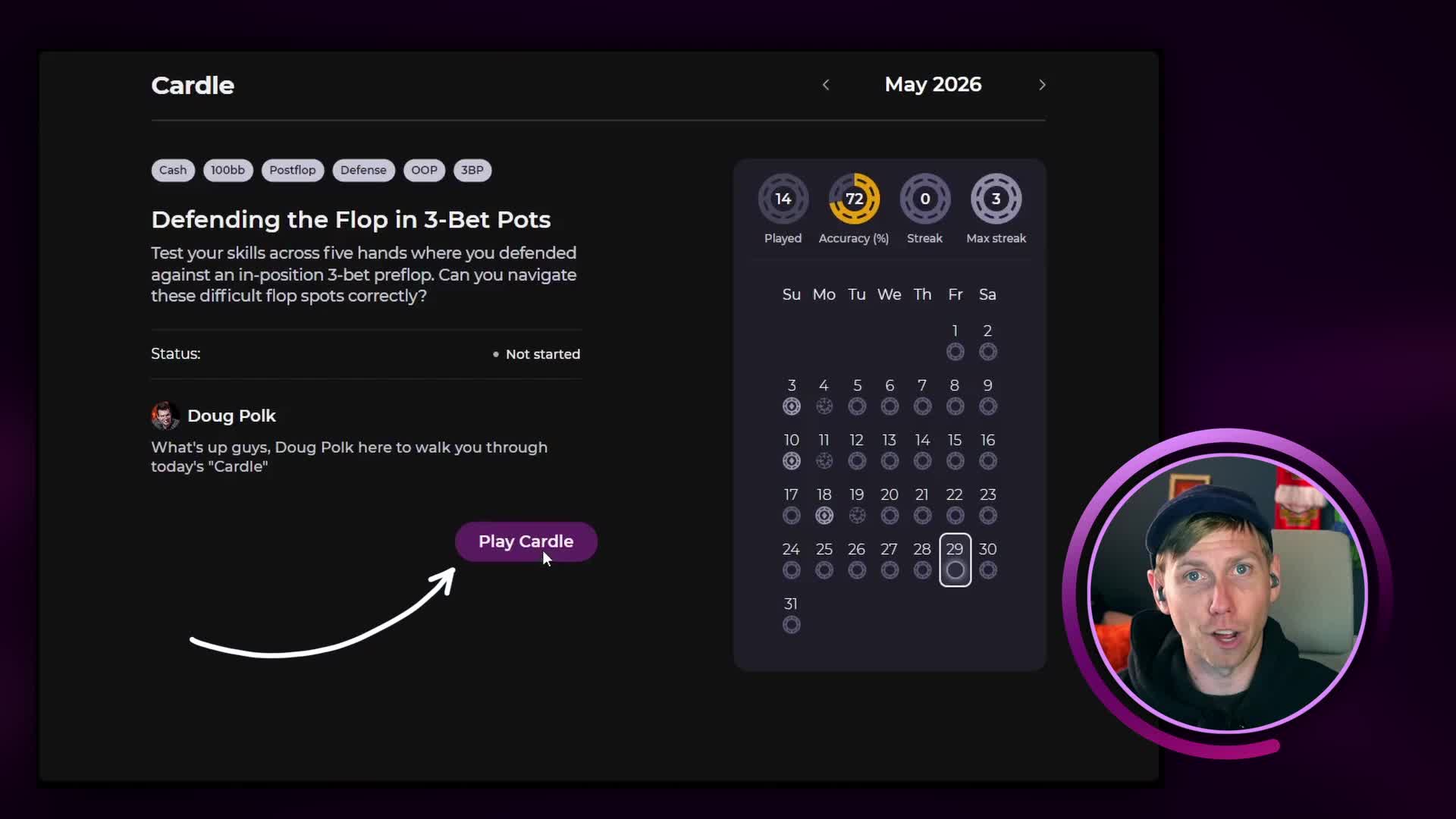
1Open the CardleTap the purple Play Today's Cardle button on the home screen, or tap the Cardle icon in the main navigation.
-
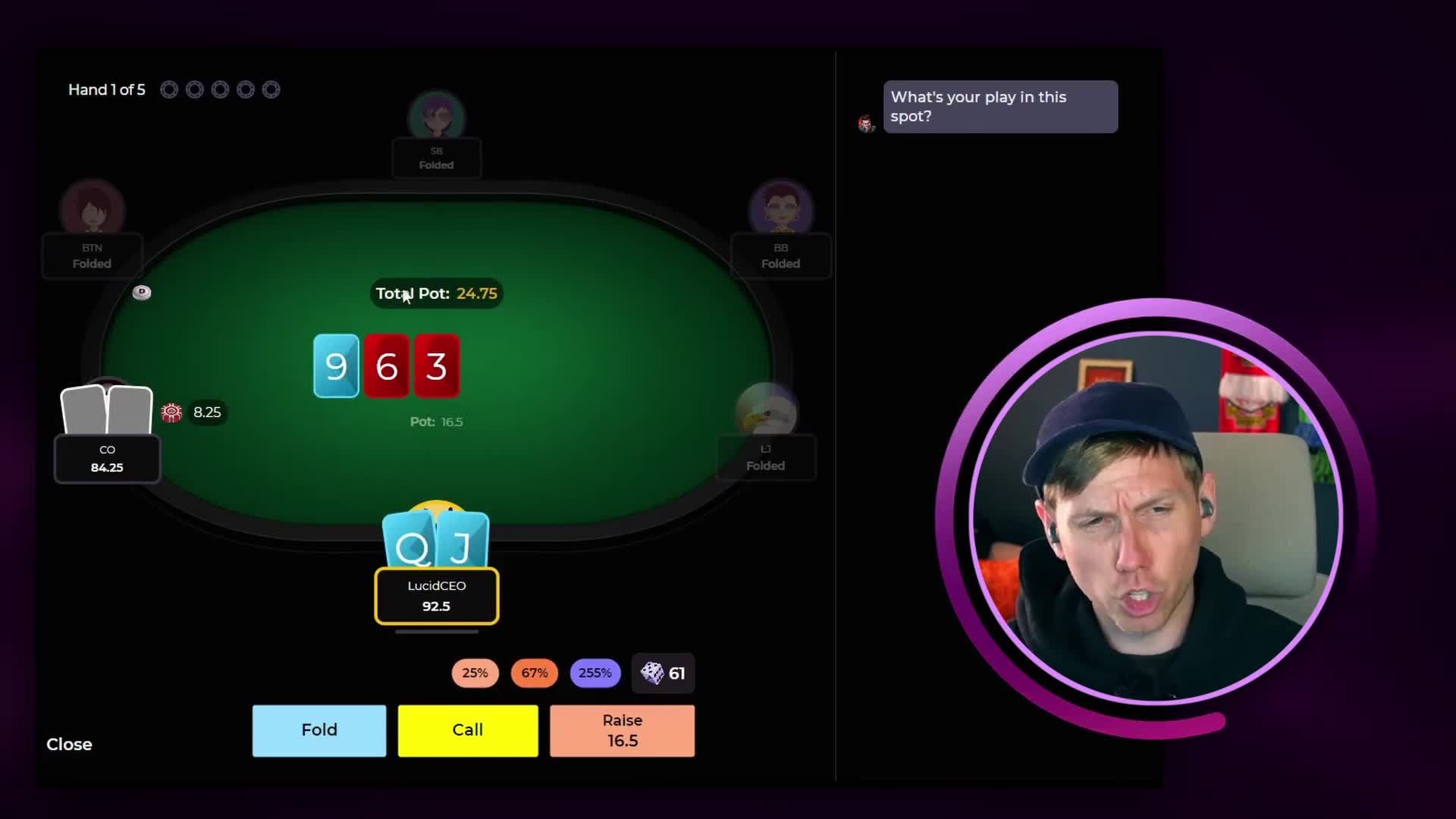
2Watch the scenarioWatch the hand play out: position, stack depth, pot size, board texture, and the action leading up to your decision are all shown. Take a moment before committing.
-
3Make your decisionSelect an action from the options provided. Your choice is locked in as soon as you submit, so treat it like a real hand.
-
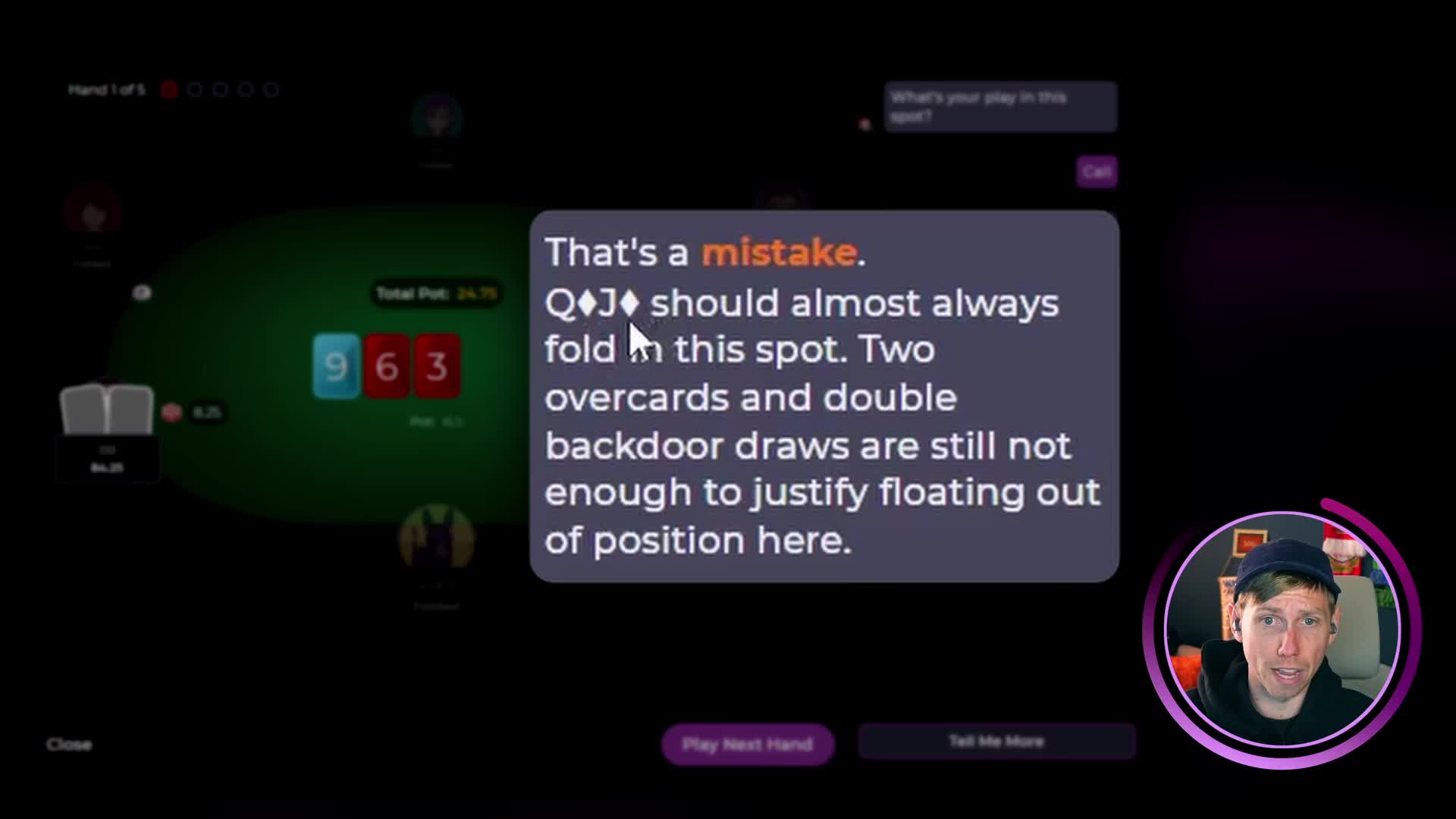
4Read the feedbackLucid immediately shows whether your decision was correct and provides a written explanation from the coaching team. Tap Tell Me More for a deeper breakdown of the spot.
-
5Continue through all five handsTap Play Next Hand to move on. Each hand follows the same spot theme, so patterns will build as you go.
-
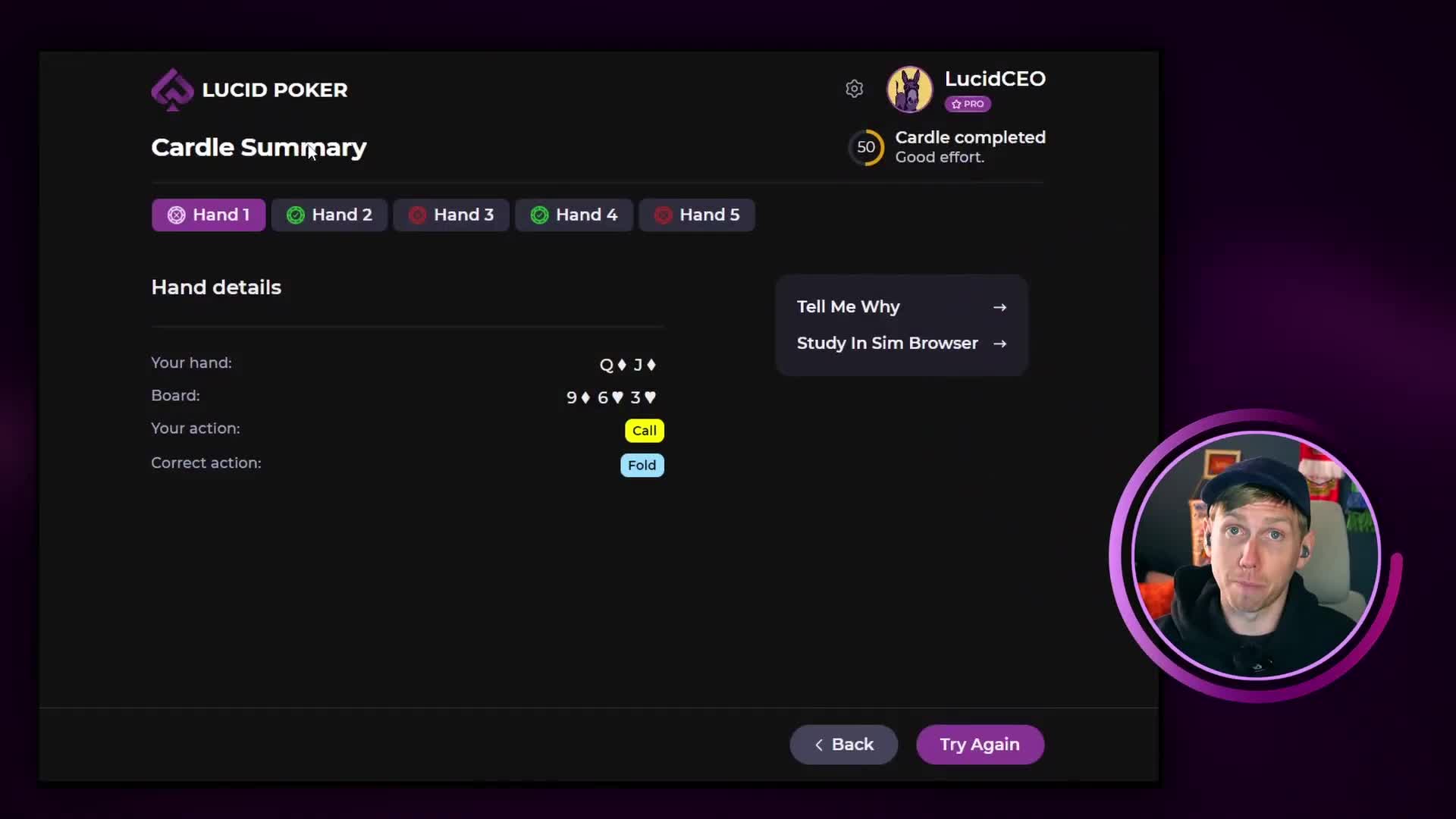
6Review and share your resultsTap Finish Cardle after the final hand. Your overall score appears and you can revisit every hand from the Cardle summary screen. Use the share button to post your results, or head to the Lucid Poker Discord and drop them in the dedicated Cardle channel.
Reviewing Your Cardle
The Cardle summary screen shows all five hands from the session. For each one, you can:
- Tap Tell Me Why to re-read the coaching explanation for any hand
- Tap Study in Sim Browser to open the full solver node and explore the game tree. See navigating the Sim Browser if you have not used it before
- Tap Try Again to replay the Cardle. Your initial score is locked in permanently, even if you replay.
Your first score is your official score. Replaying is useful for studying the spot, but the score recorded for your stats is always from your first attempt.
Understanding the Feedback
After each decision, Lucid shows two levels of explanation:
- Quick hit: A short summary of the correct action and why.
- Tell Me More: A deeper coaching explanation covering position, bet sizing, and equity considerations.
Spot: You called a 3-bet out of position and face a half-pot bet holding QJ with two overcards and a backdoor flush draw. The solver folds. The Tell Me More explanation covers why position and bet size change the threshold for continuing in 3-bet pots.
If you want to see which player held the range advantage in a spot you got wrong, open it in the Sim Browser and check the EV and equity heat maps.
Next Steps
After completing a Cardle, here are a few ways to keep building on what you learned:
- Use Study in Sim Browser to explore any node from the session
- Run a targeted drill on the same spot type to get more reps
- Compare your score against other players in Leaderboard Drills
- Come back tomorrow for a new Cardle on a different theme
