
1. Lucid Poker Overview
A quick walkthrough of the Lucid Poker app: what each feature does, what's free, and where to find everything on desktop and mobile.
How It Works
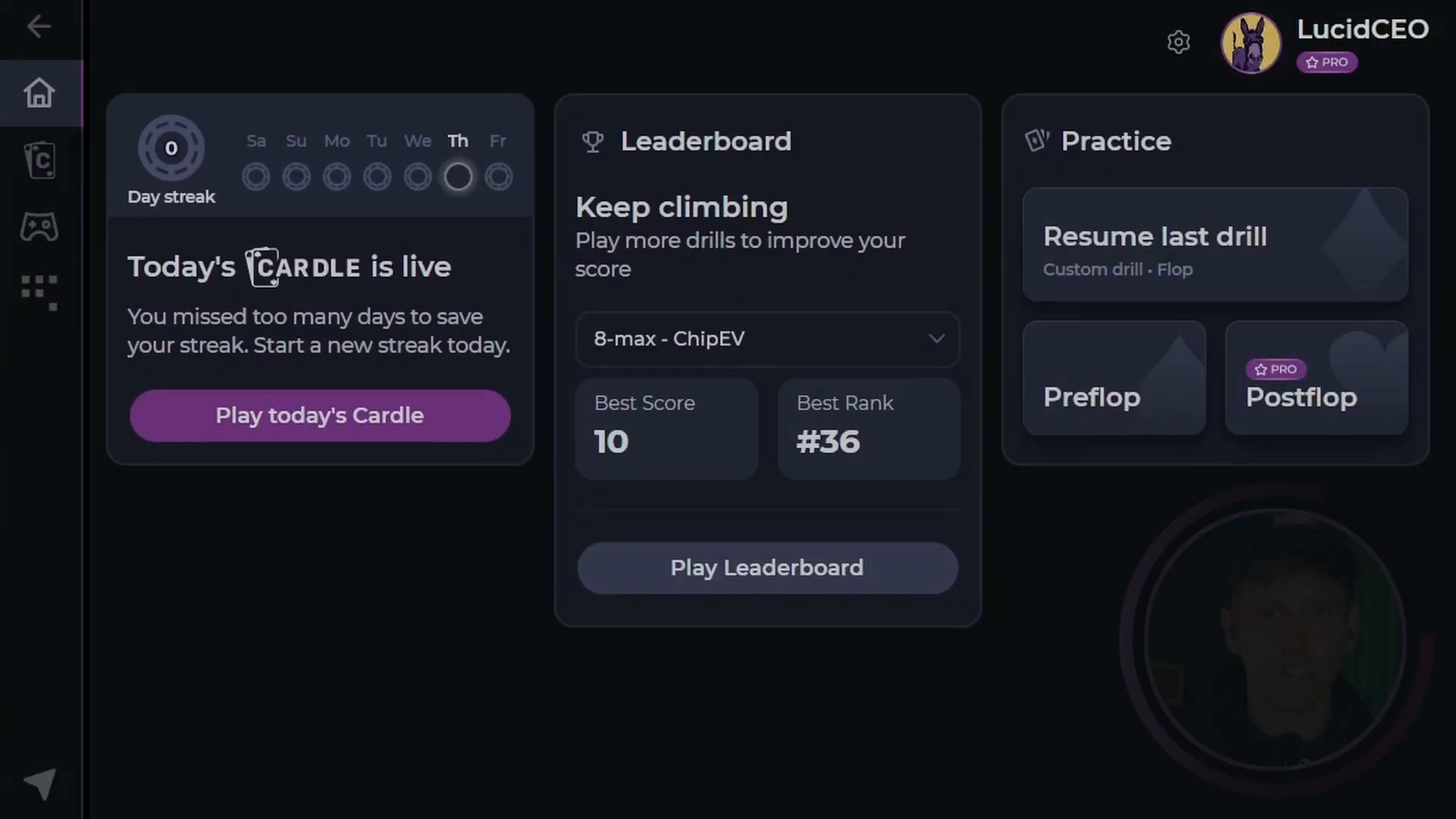
When you open Lucid Poker, the home screen displays a set of widgets, each providing access to one of the app's core features. This article walks you through each one, so you know where to go and what to expect.
Navigation works the same way on both platforms. On desktop, use the sidebar. On mobile, use the bottom bar. The main sections are Cardle, Drill, and Sim Browser.
Features
Cardle
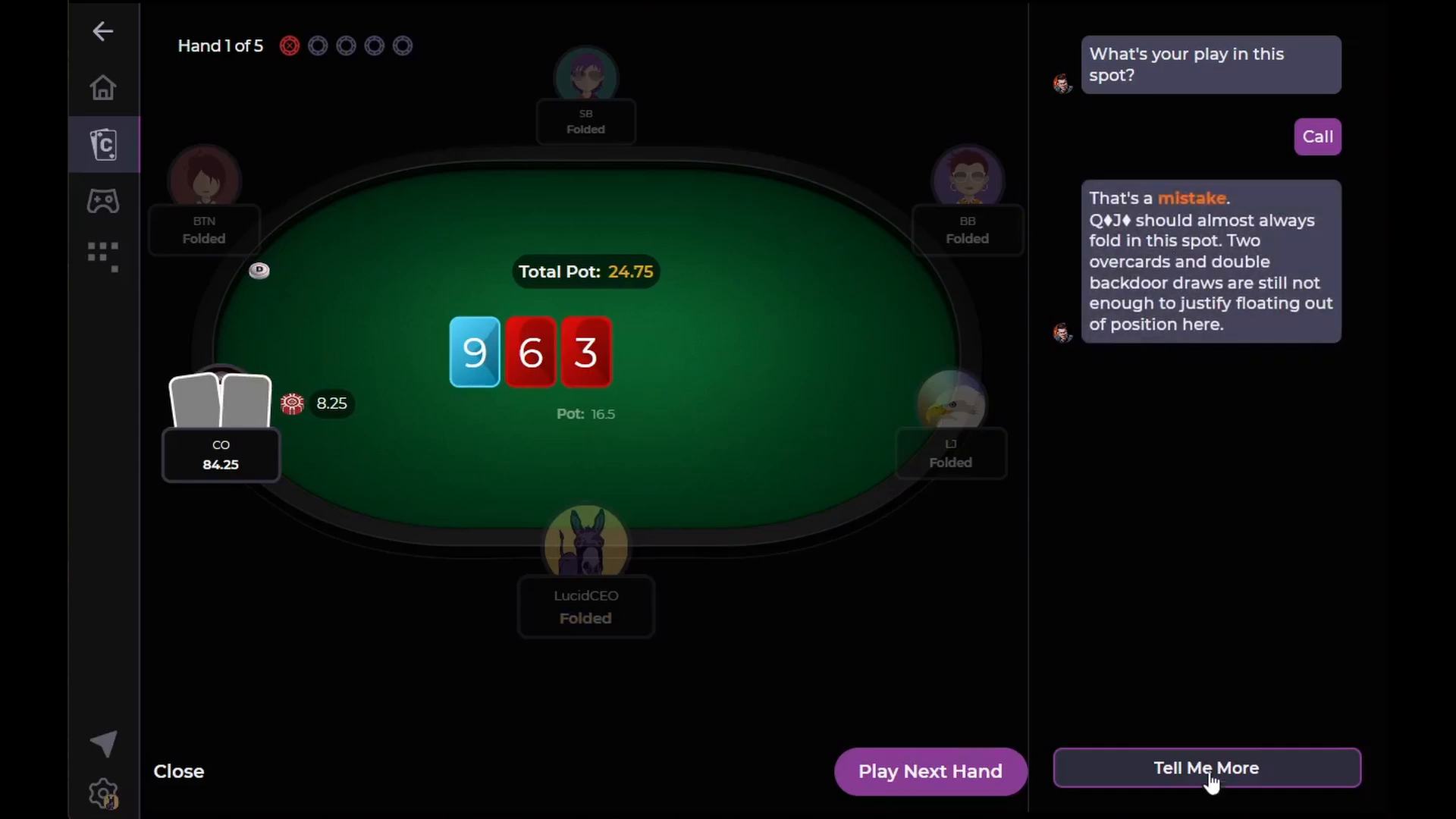
The Cardle widget is the most prominent feature on the home screen. Every day, Lucid drops a new guided five-hand quiz. You play one hand, get scored against the GTO solution, and build your streak over time. For a full walkthrough of scoring, feedback, and the summary screen, see how to play the daily Cardle.
Cardle is free for all users. You can play the daily Cardle every day and track your streak without a Pro subscription. Start a free trial to access the backlog of 500+ additional Cardle quizzes.
Leaderboard
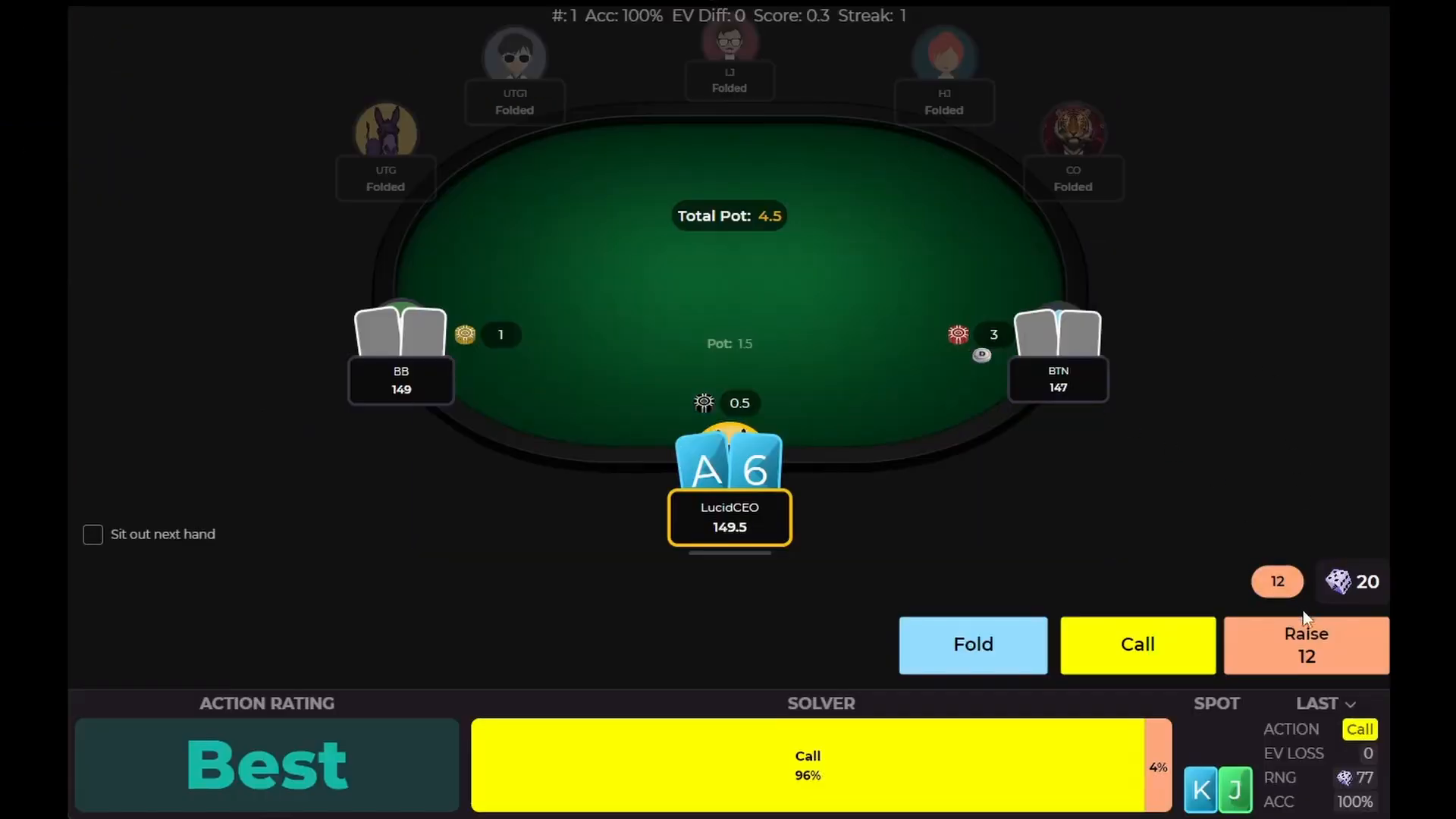
The Leaderboard lets you compete against players worldwide for the highest Cardle score. Lucid runs monthly prizes, which regularly include trips to play live tournaments, Visa gift cards and Lucid merch. The competition itself runs through Leaderboard Drills, which explains how ranking and the monthly raffle work.
Practice: Custom Drills and Preflop Trainer
The practice widget on the home screen gives you two options:
- Custom Drills: Build a targeted drill for any postflop situation. This is a Pro feature. Start a free trial to access it. See setting up Custom Drills for the full configuration options.
- Preflop GTO Trainer: Free for all users. Practice preflop decisions and get instant feedback. No subscription required.
If you are not sure which mode fits your study goals, the drills overview compares all three side by side and breaks down the drill interface.
Sim Browser
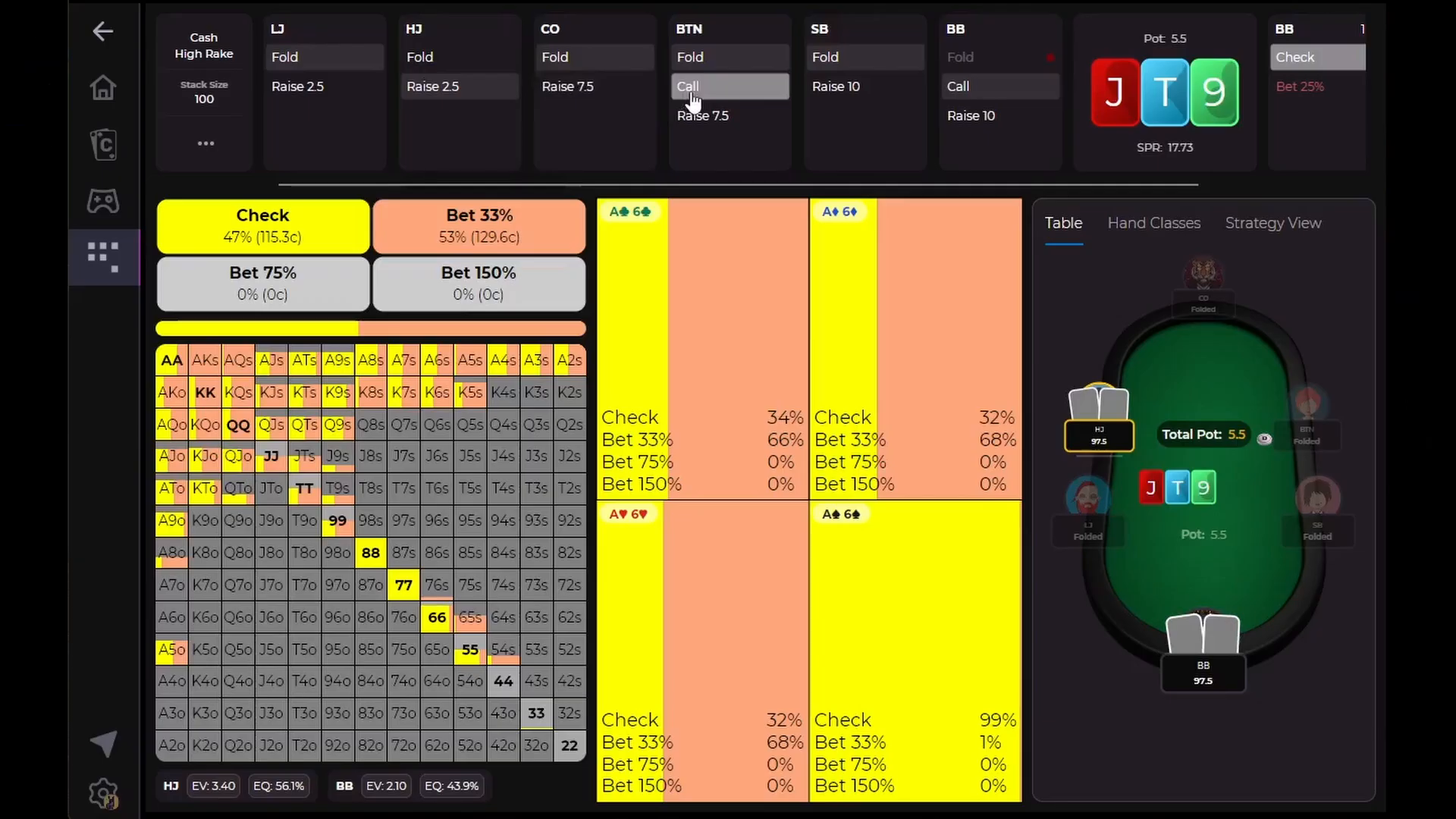
The Sim Browser is accessible from the sidebar on desktop or the bottom bar on mobile. It lets you browse complete, cutting-edge solver strategies in a few clicks. The Sim Browser guide covers game tree navigation, hand grids, and range filters in detail.
Preflop ranges in the Sim Browser are completely free for every game type, including cash games, MTTs, and more. You can also browse up to five postflop situations per day on the free plan. Upgrade to Pro for unlimited postflop access.
Settings
Tap the gear icon to open Settings. From there you can change your color scheme, update your avatar, and edit the display name that appears on the leaderboard. The Settings page guide walks through every option, including RNG mode and drill pace.
Free vs. Pro
Here is a quick summary of what each tier includes:
- Free: Daily Cardle, unlimited preflop ranges in the Sim Browser, up to 5 postflop situations per day, and the Preflop GTO Trainer.
- Pro: Everything in free, plus access to 500+ Cardle quizzes, unlimited postflop sim browsing, and custom postflop drills.
Next Steps
Now that you know what each feature does, here is where to go next:
- Play today's Cardle and start your streak
- Browse preflop ranges in the Sim Browser for your game type
- Run a drill on a spot you want to improve
- Check Leaderboard Drills to see how your score stacks up
